The quick version
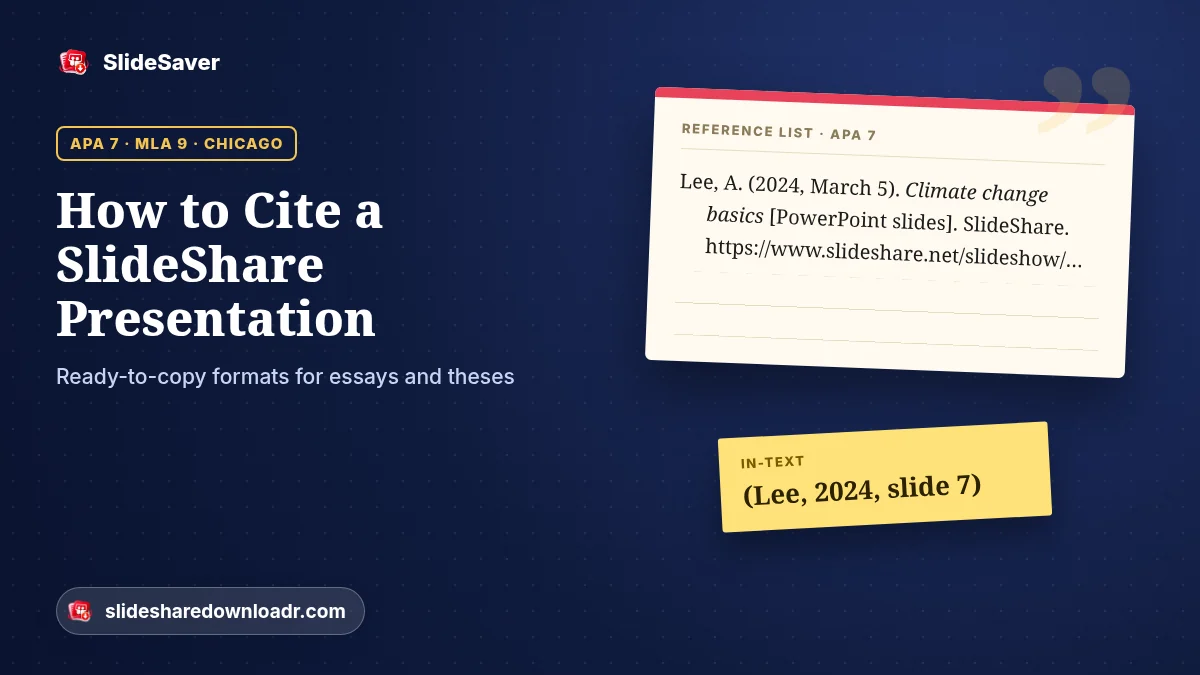
For most coursework, an APA 7 reference looks like this:
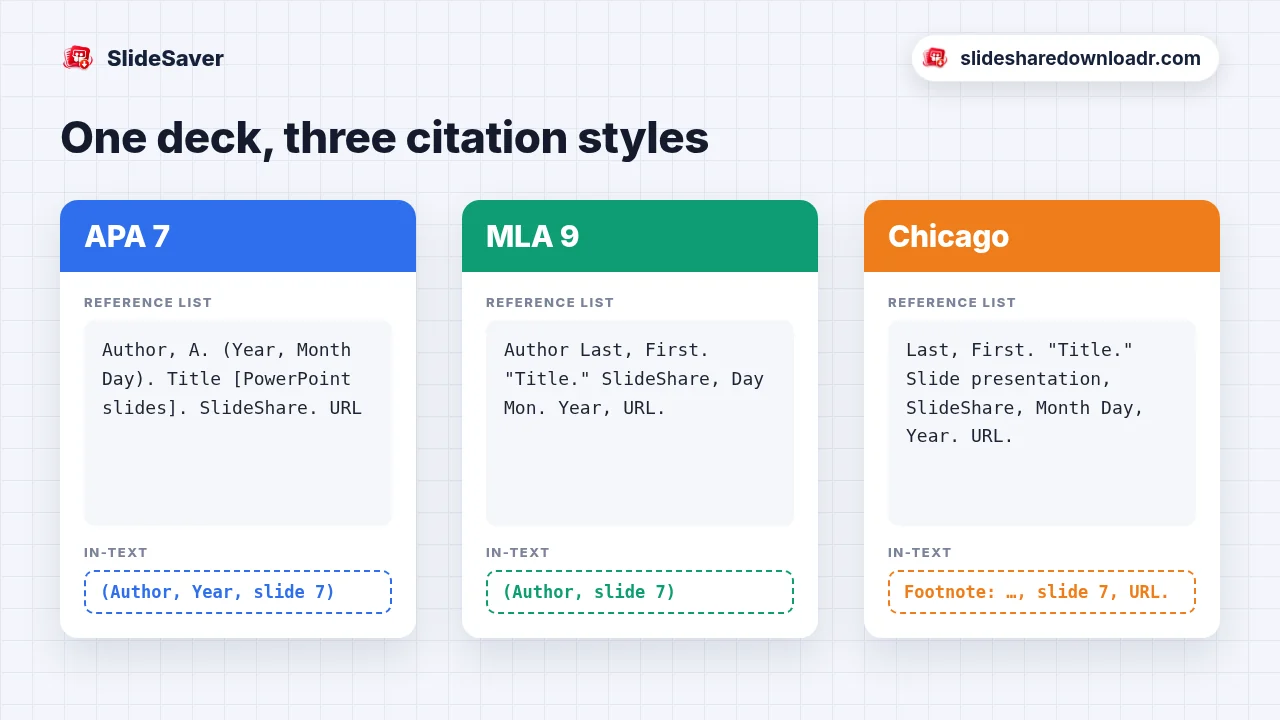
Author, A. A. (Year, Month Day). Title of presentation [PowerPoint slides]. SlideShare. URL
In the text you write (Author, Year) or, when you quote one slide, (Author, Year, slide 4). MLA, Chicago and Harvard use the same four details in a different order: who uploaded it, when, the title and the link. Check your teacher's or journal's instructions first, because local rules always win.
Find the four details on the deck
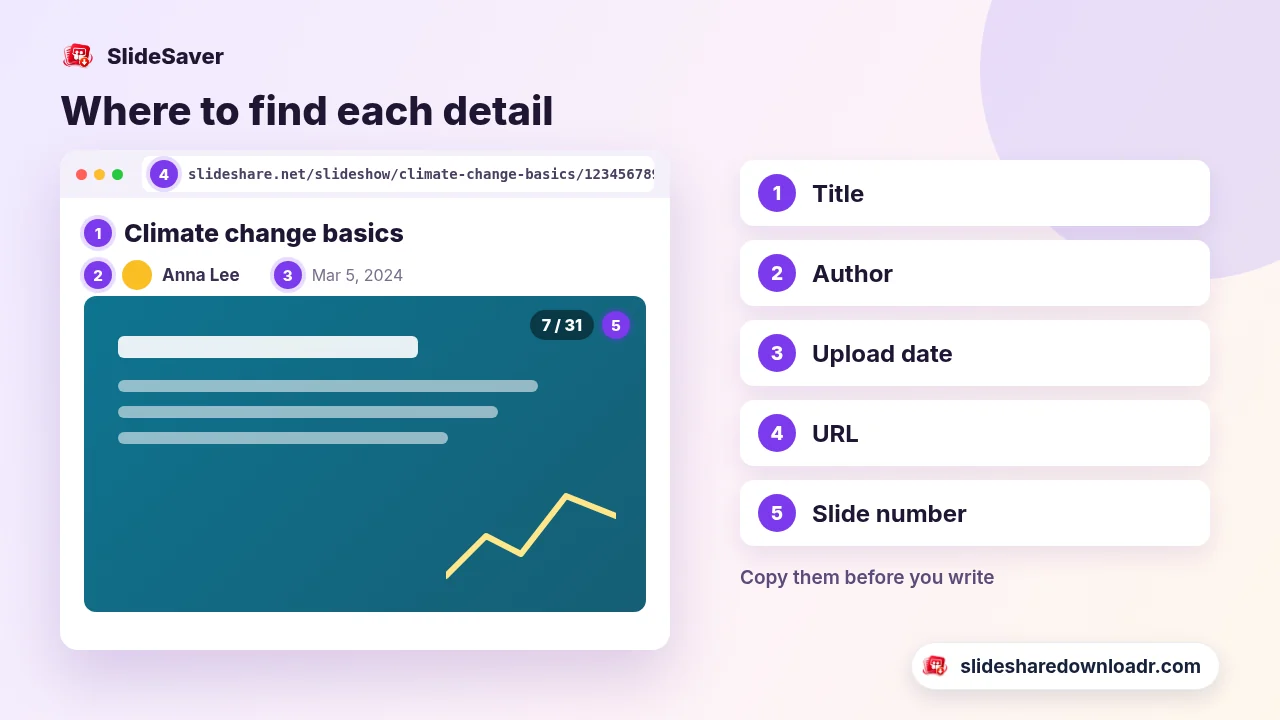
Open the presentation on SlideShare and note:
- Author. The name shown under the title. If it is an organization, use the organization name. If only a username is shown, use the username exactly as written.
- Date. The upload date shown with the deck details. If there is no date, APA uses (n.d.) and MLA simply leaves it out.
- Title. Copy it from the page, not from the first slide, because the two can differ.
- URL. Use the clean address from the browser, without tracking parts after a question mark.
Tip: when you save the words with our SlideShare Text Extractor, the .txt file starts with the deck title and its source URL, and every slide gets a --- Slide 4 --- header. That gives you the link and exact slide numbers in one place when you write.
APA 7th edition
Reference list:
Lee, A. (2024, March 5). Climate change basics [PowerPoint slides]. SlideShare. https://www.slideshare.net/slideshow/climate-change-basics/123456789
- Write the title in sentence case and italics.
- The description in square brackets tells the reader what kind of source it is. [PowerPoint slides] is the usual choice; [Slides] also works if you don't know the software.
- In-text: (Lee, 2024) for a paraphrase, (Lee, 2024, slide 7) for a direct quote.
- No date: Lee, A. (n.d.). … and (Lee, n.d.).
MLA 9th edition
Works Cited:
Lee, Anna. "Climate Change Basics." SlideShare, 5 Mar. 2024, www.slideshare.net/slideshow/climate-change-basics/123456789.
- The title goes in quotation marks and title case; SlideShare is the container, in italics.
- MLA lets you drop
https://from the link. Add an access date at the end (Accessed 25 Nov. 2026.) when the deck has no upload date or might change. - In-text: (Lee) or, for a specific slide, (Lee, slide 7).
Chicago and Harvard
Chicago (notes and bibliography), bibliography entry:
Lee, Anna. "Climate Change Basics." Slide presentation, SlideShare, March 5, 2024. https://www.slideshare.net/slideshow/climate-change-basics/123456789.
Chicago footnote: 1. Anna Lee, "Climate Change Basics" (slide presentation, SlideShare, March 5, 2024), slide 7, https://www.slideshare.net/slideshow/climate-change-basics/123456789.
Harvard (Cite Them Right style):
Lee, A. (2024) Climate change basics [PowerPoint presentation]. Available at: https://www.slideshare.net/slideshow/climate-change-basics/123456789 (Accessed: 25 November 2026).
Harvard has many versions, so match the punctuation in your school's guide.
Quoting one slide, images and charts
- Number the slide yourself. SlideShare counts slides from 1, including the title slide. Use that number, and keep it the same across your paper.
- Quote words exactly. Copying text from the extractor avoids typing mistakes. If a slide is only a picture of text, the extractor may return nothing for it; save the deck with SlideShare to PDF and run it through OCR PDF to get the words.
- Reusing a chart or photo in your own slides or paper needs a caption with the source, for example "Figure 2. Global emissions by sector. From Climate change basics by A. Lee, 2024, SlideShare." Check whether the image itself comes from somewhere else, and cite that original.
- Secondary sources: if the slide quotes a study, try to find and cite the study itself.
Keep a copy of what you cite
Decks get renamed, made private or deleted, and a link in your bibliography can stop working before your paper is graded. Keep a personal copy of each source while you write: you can download SlideShare for free as PDF, PPTX or images, or keep just the text. Want the words in an editable document for notes? Our guide on converting a SlideShare presentation to Word shows how. For more study habits, see SlideShare for students.
A saved copy is for your own study and checking. It does not change who owns the work: cite the author, and ask before you republish slides. SlideSaver is an independent tool and is not affiliated with SlideShare, Scribd or LinkedIn.
FAQ
Do I cite SlideShare as a website or as a presentation?
As a presentation. Treat the uploader as the author, the deck title as the title and SlideShare as the site or container.
What if the deck has no author name?
Use the organization or username shown on SlideShare. If there is truly no name, start the reference with the title.
What if there is no date?
APA uses (n.d.). MLA leaves the date out and adds an access date. Chicago uses n.d. and an access date.
How do I cite one slide?
Add the slide number to the in-text citation, for example (Lee, 2024, slide 7) in APA or (Lee, slide 7) in MLA.
Should I link to a downloaded copy instead of SlideShare?
No. Always cite the original SlideShare URL. Your downloaded copy is only for your own reading and checking.